Key Highlights
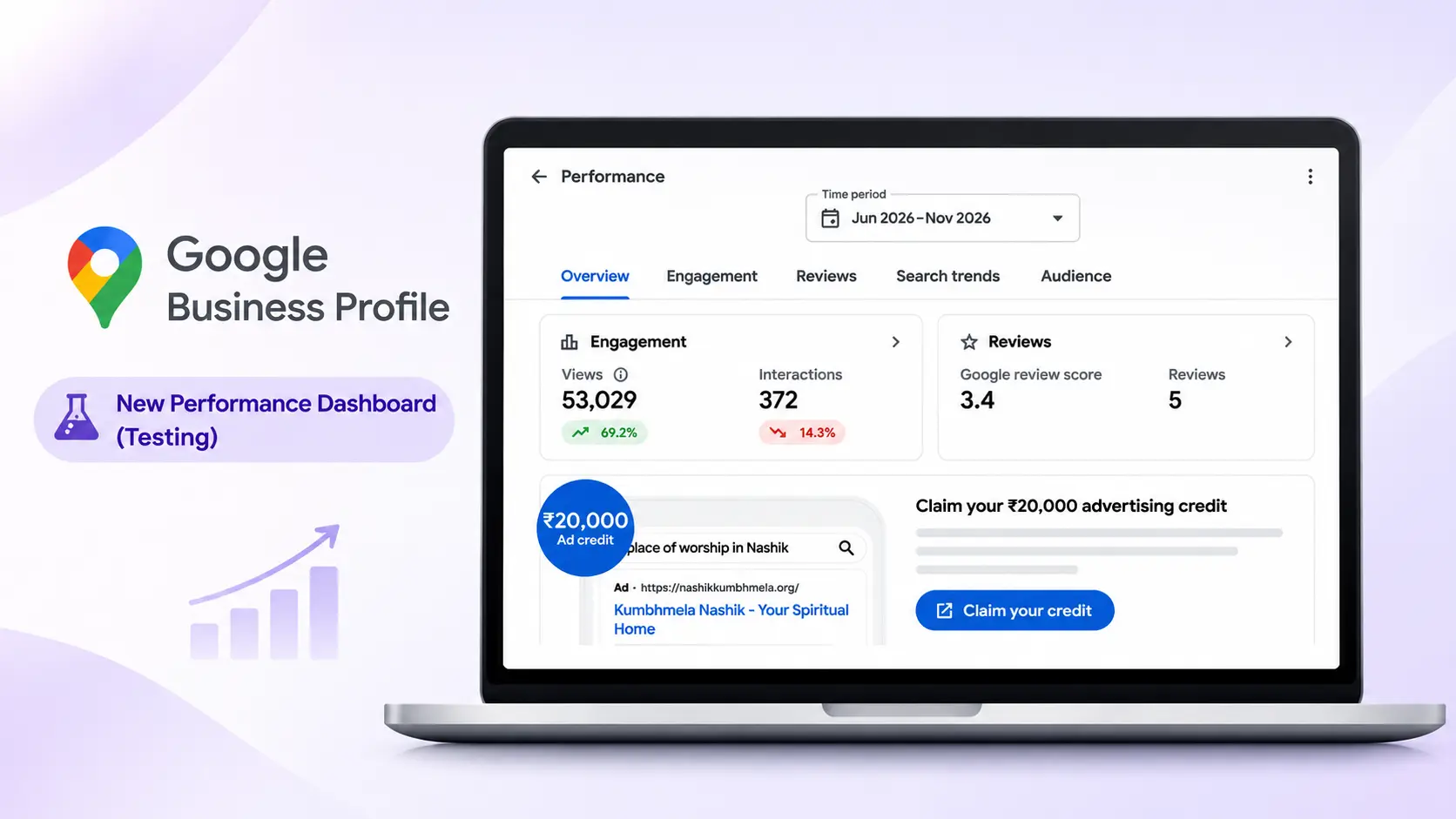
Google is testing a new Google Business Profile Performance dashboard with five sections: Overview, Engagement, Reviews, Search Trends, and Audience.
Businesses can check how many people view their profiles and how many interact with them.
The new dashboard shows the overall Google review score and the total number of reviews.
Businesses can see how customers find their profiles through Google Search and Google Maps.
Google is testing a redesigned Google Business Profile Performance dashboard that gives businesses a more organized way to understand their online visibility, customer engagement, reviews, and audience insights.
The updated interface introduces five dedicated sections: Overview, Engagement, Reviews, Search Trends, and Audience. It also includes a recommendations section to help businesses identify potential improvements to their profiles.
For local businesses and SEO professionals, this change could make performance monitoring easier by bringing more insights into one place.
However, the redesigned dashboard is still being tested and is not yet available to every business.
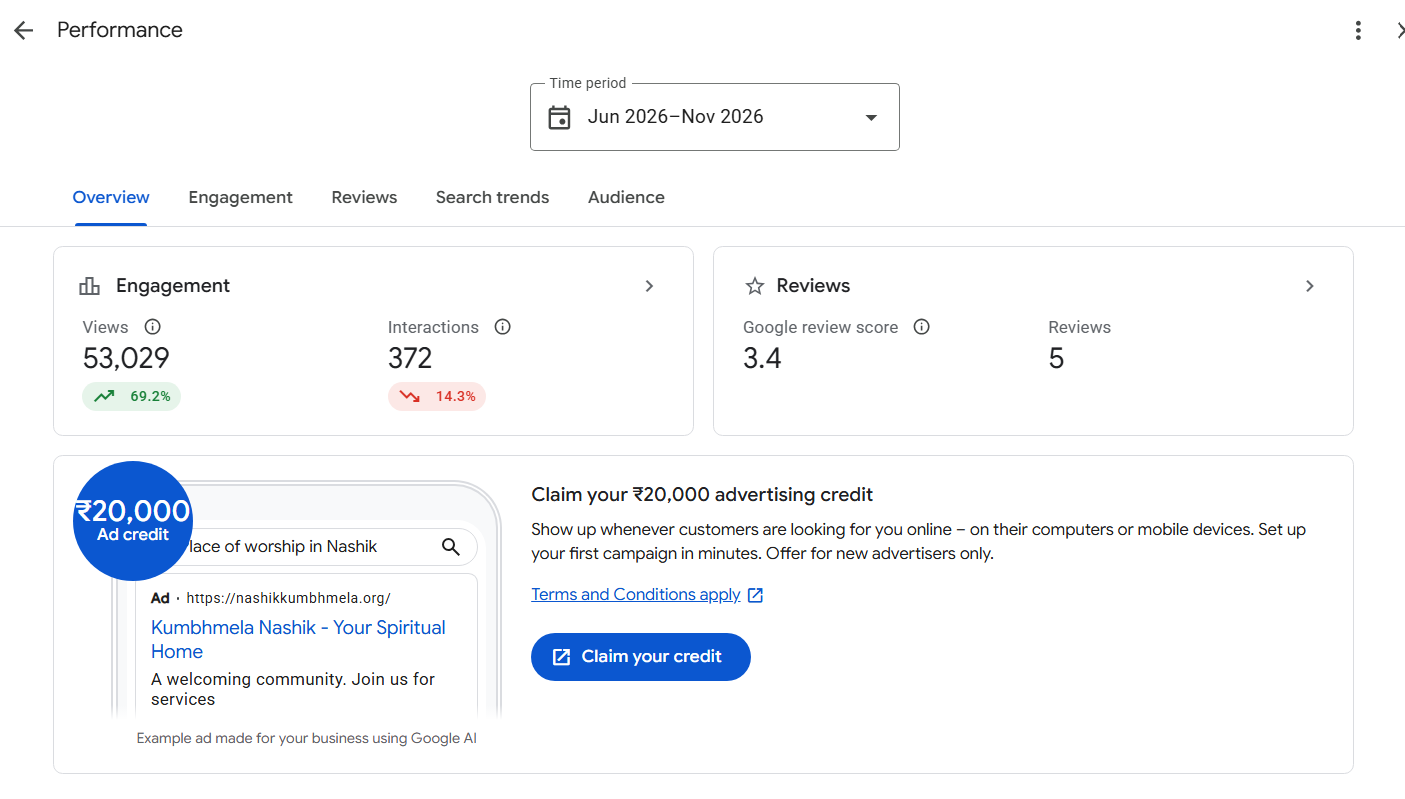
What's New in the Google Business Profile Performance Dashboard?
The new Google Business Profile dashboard organizes performance data into five main sections. Each section focuses on a different aspect of how customers discover and interact with a business.
Here's what the reported redesign includes.
1. Overview: Get a Quick Summary of Your Performance
The Overview tab provides a snapshot of your Google Business Profile performance.
It displays key metrics such as profile views, customer interactions, Google review ratings, and review counts.
This helps businesses understand whether their online visibility and customer engagement are changing over time.
For example, an increase in profile views alongside a decline in interactions could indicate that more people are discovering a business without taking further action.
Monitoring these metrics together can help businesses identify areas that need attention.
2. Engagement: Track Customer Interactions
The Engagement section provides a closer look at how customers interact with a Google Business Profile.
The screenshots of the new interface show separate filters for:
Calls
Chat clicks
Bookings
Website clicks
All interactions
A performance graph also displays engagement trends across the selected period.
These insights can help businesses understand whether customers are contacting them, visiting their websites, or using available booking options.
For local SEO professionals, this information can support performance reporting and help identify changes in customer activity.
The exact metrics available may vary by business and feature availability.
3. Reviews: Understand Customer Feedback
One of the most notable features in the reported test is a dedicated Reviews section.
The redesigned interface shows the overall Google review score, total review count, and a breakdown of ratings from one to five stars.
It also displays frequently mentioned topics from customer reviews, alongside positive and negative sentiment indicators.
For example, businesses may identify recurring mentions of friendly staff, fast service, or other aspects of the customer experience.
These insights could help business owners understand what customers appreciate and where improvements may be needed.
A more detailed review reporting experience could also make reputation monitoring easier for businesses managing multiple locations.
For practical advice on optimizing your listing, read this guide to 13 Google Business Profile tips to improve local search visibility.
4. Search Trends: Understand How Customers Discover Your Business
The new dashboard includes a separate Search Trends tab.
This section is intended to provide search-related insights that help businesses better understand how customers discover their profiles.
Search behavior is an important part of local SEO because customers may use different queries depending on their needs, location, and intent.
Businesses can use available search insights alongside keyword research and website analytics to evaluate their online visibility.
However, the exact reports and metrics available in this section should be confirmed once the feature becomes more widely accessible.
5. Audience: Explore Device and Discovery Insights
The Audience section provides information about people viewing a Google Business Profile.
The screenshots show a breakdown of profile discovery across Google Search and Google Maps, with separate figures for mobile and desktop devices.
This information can help businesses understand where customers are finding their profiles.
For example, if most profile discovery comes from mobile search, businesses should ensure their websites load quickly and make essential information easy to access on smaller screens.
Clear contact details, accessible booking options, and a good mobile experience can help visitors take the next step after discovering a business.
6. Personalized Recommendations to Improve Your Profile
The redesigned dashboard also includes a Top recommendations section.
The screenshots show recommendations such as reviewing recent performance, checking new customer-uploaded photos, and adding social media profiles.
These suggestions provide a more direct way for businesses to identify potential improvements.
Depending on the recommendations available, business owners may be encouraged to review their profile information, update relevant details, or strengthen their online presence.
Following relevant recommendations can help businesses maintain an informative profile and provide customers with useful information.
How Can the New Dashboard Help With Local SEO?
The redesigned Google Business Profile Performance dashboard could make local SEO reporting more convenient for business owners, in-house marketers, and digital marketing agencies.
By separating visibility, engagement, reviews, and audience information, the dashboard provides a more organized way to review performance.
Potential benefits include:
Better performance monitoring: Businesses can review profile views and customer interactions to identify changes over time.
Improved reputation management: Review summaries and frequently mentioned topics can help businesses understand customer feedback.
More informed local SEO decisions: Search and audience insights can complement keyword research and local search analysis.
Clearer reporting: Separate sections could make it easier to explain performance trends to clients and stakeholders.
Actionable recommendations: The recommendations section may help businesses identify practical profile improvements.
These insights can support local SEO decisions, but they do not guarantee higher Google Maps rankings. Businesses should evaluate profile metrics alongside website traffic, customer enquiries, and other relevant performance data.
For a broader understanding of search visibility, explore my guide to Google's crawling, indexing, and ranking process.
Is the New Google Business Profile Dashboard Available to Everyone?
No. The redesigned Performance dashboard is currently being reported as a test.
Search Engine Roundtable reported the test on October 23, 2026, based on screenshots shared by users who had access to the interface. The report noted that the redesigned dashboard was not visible to everyone.
Google has not officially confirmed a full rollout or announced a general release date.
The design and available features may change as testing continues.
To check whether the new interface is available to your business:
Sign in to the Google account that manages your Business Profile.
Search for your business on Google.
Open your Business Profile management interface.
Select Performance.
Check whether the Overview, Engagement, Reviews, Search Trends, and Audience tabs appear.
You can also consult Google's official Business Profile performance reporting guide to learn more about the existing reporting features.
What Should Businesses Do While Waiting for the Update?
Businesses do not need to wait for the redesigned dashboard to improve their local search presence.
You can continue using the existing Performance reports to monitor available metrics and identify opportunities for improvement.
Here are five practical steps to focus on:
Monitor performance regularly. Track profile views, calls, website clicks, and other available interactions.
Manage customer reviews. Respond professionally to feedback and use recurring concerns to improve customer service.
Keep profile information accurate. Review business hours, contact details, services, and categories.
Maintain an active profile. Publish relevant updates and add genuine business photos when appropriate.
Review your local SEO strategy. Evaluate search visibility, website performance, and customer enquiries to understand what is working.
If you want to improve your broader search performance, explore my SEO services and optimization approach.
Businesses should also monitor their online reputation across relevant platforms. Learn more about online reputation management and how it supports customer trust.